CreateForge

One selfie, an eye-focused portrait

Eye Close Up AI Generator

Make an eye close up AI photo from one selfie, or switch to a warm eye video. Try golden sideways eyes or a black-and-white reflection photo, then check the current credit quote.

Create your version

GPT Image 2

One adult selfie with both eyes open, in focus and evenly lit. Avoid sunglasses, glare, strong beauty filters and distant full-body photos.

JPEG · PNG · WebP · ≤25 MB

Choose an eye photo style
Advanced prompt
Settings2K · 9:16
Aspect Ratio9:16
Resolution

Add the required reference content before generating.

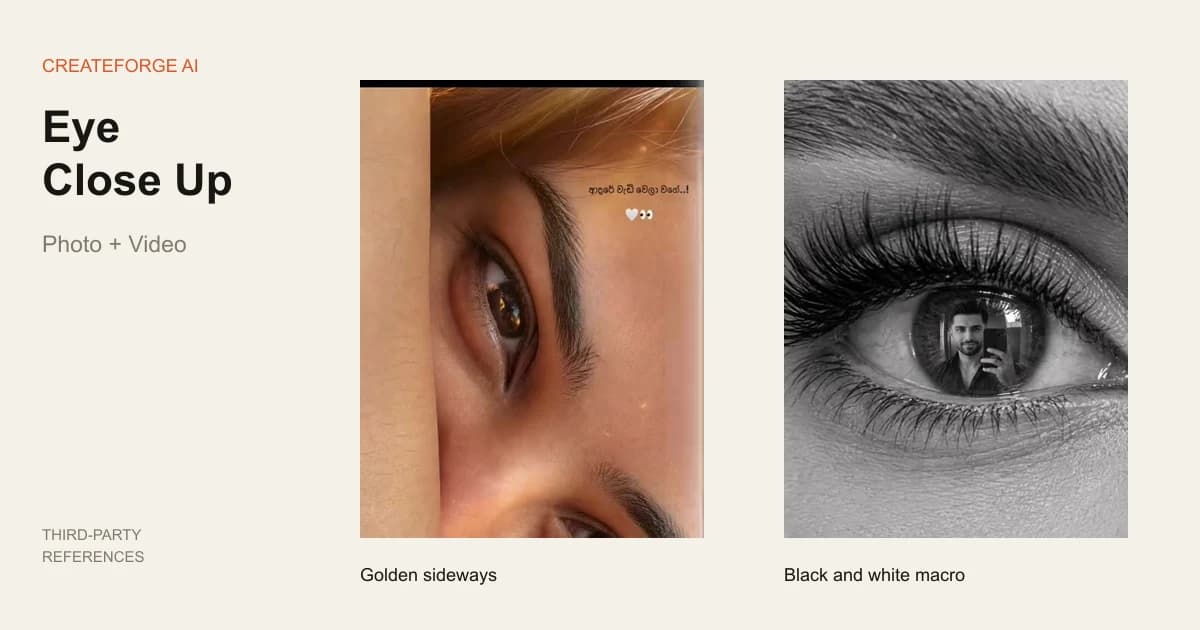
Golden sideways eyes and a black-and-white single-eye reflection from third-party references
Third-party effect references from Videosi, arranged for illustration. Not CreateForge outputs.

Prompts to try

Golden sideways eyes

Golden sideways eyes

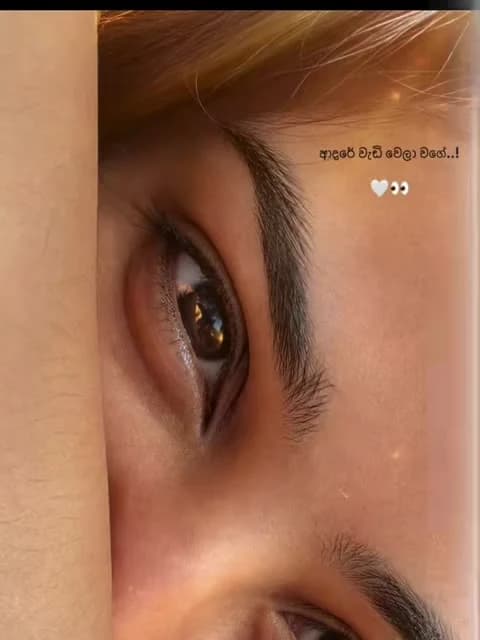
Photo: two eyes from one face, warm light and sideways composition.

Use image 1 as the only identity reference for one adult. Use their visible eye shape, iris color, eyebrows, lashes, age and skin tone as references without inventing a different person. Keep natural skin texture and separate eyelids, round pupils and individual lashes. Do not add colored contacts, heavy makeup, extra eyes, captions or logos. This is a new creative rendering, not recovery of unseen iris detail. Make one warm photographic eye portrait using the selected aspect ratio. Rotate the composition sideways so the two eyes of the same face sit one above the other, with a small part of the nose bridge and brow visible. Use gentle golden side light, a clean catchlight and soft shadows. Crop one face rather than stacking separate faces or duplicating an eye. Keep both eyes readable and the iris color guided by the source.

Black-and-white selfie reflection

Black-and-white selfie reflection

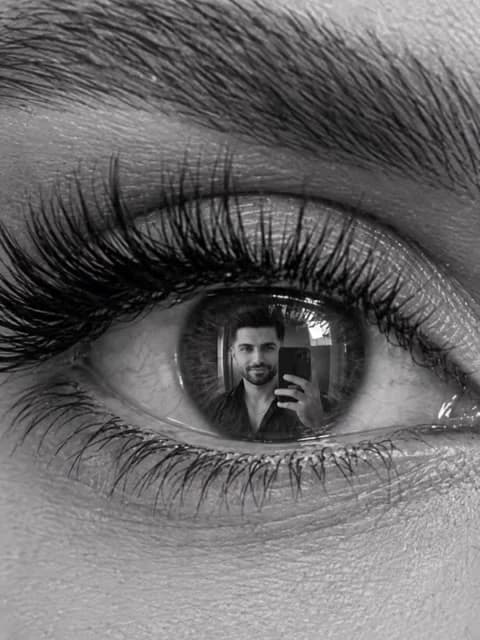
Photo: one eye with a small creative reflection of the same person.

Use image 1 as the only identity reference for one adult. Use their visible eye shape, iris color, eyebrows, lashes, age and skin tone as references without inventing a different person. Keep natural skin texture and separate eyelids, round pupils and individual lashes. Do not add colored contacts, heavy makeup, extra eyes, captions or logos. This is a new creative rendering, not recovery of unseen iris detail. Make one black-and-white macro portrait centered on a single eye, with its eyebrow, lid and surrounding skin visible. In the pupil region, add a small creative reflection of the same adult from image 1 taking a selfie, not a second identity or an extra eye. Keep the eye structure coherent and the reflection small; it must not replace the iris with a giant face. No colored iris, text or decorative collage frames.

  1. 01

    Show both eyes clearly

    Choose one adult selfie with an unobstructed face and soft light. Large, sharp eyes give the model more visible detail to follow.

  2. 02

    Choose a photo or video

    Photo starts with golden sideways eyes; the black-and-white reflection is a second photo prompt. Video has its own warm direction and quote.

  3. 03

    Inspect the complete result

    Check eye count, shape, color, lashes and reflection at full size. For video, check the blink and final hold before downloading or opening Library.

What does eye close up AI make?

This tool turns a selfie into an eye-focused portrait. Close up describes the tight framing, not closed eyelids. The default deliverable is one 2K vertical photo; the separate video mode creates one eight-second 720P clip initially. It does not fix blinks in a group photo, change iris color or dive through the pupil into a different scene.

Both modes redraw the source with AI. They can follow visible eye shape, complexion and iris color, but cannot reliably recover detail that was blurred, hidden or too small in the original. This is a creative portrait, not an iris scan or a pixel-exact crop-and-enlarge tool.

Two eye close up photo prompts

Golden sideways uses one face rotated so the eyes sit above one another, with warm side light and natural skin. Black-and-white macro centers one eye and asks for the same person's small selfie reflection. It is a creative reflection, not proof that the original camera captured that scene.

Apply or copy either complete prompt, then edit Advanced prompt if needed. Applying a style keeps your compatible photo and supported settings while clearing the old quote. It does not generate or charge. The reflection look is photo-only; the video mode stays focused on warm eyes.

Prepare a selfie with visible eye detail

Use one adult with both eyes open and looking toward the lens, in soft even light. Avoid sunglasses, bright lens glare, heavy smoothing, hair across the eyes and a distant full-body shot. A tight face crop is more useful than a large file in which the eyes occupy only a few pixels.

The page does not perform eye detection or measure your iris. Uploads use the existing JPEG, PNG and WebP validation. If the result invents lashes, repeats an eye or changes the iris, choose a sharper source and simplify the direction before deciding on another paid attempt.

Warm eye video and the four-second reference

The video prompt requests a close portrait, one soft light sweep, a sideways eye view, gentle movement and a blink. Its timing follows your selected output duration. The bundled reference is four seconds long and guides framing and pacing; it is not an eight-second tested output of this prompt.

The original reference sound is removed. Video is silent initially; the existing audio setting can request new quiet room ambience. No reference audio or song is submitted. The reference is uploaded for your account and its actual duration participates in the server quote, separately from output duration.

Check the eyes before saving

Inspect the complete image for two distinct eyes in the golden look, or one coherent eye in the monochrome look. Look for round pupils, separate lashes and a reflection that stays small. In video, check whether eye color drifts, lashes merge or the blink distorts the lids. Small square previews can hide these defects.

Photo and video each require their own quote and explicit submission. Switching modes never starts a second paid job, and there is no automatic repair or extra charge to fix creative errors. Technical acceptance uses simulated jobs; likeness, iris structure, reflection and blinking have not been verified through real generation.

Credits and saved results

Sign in to upload references and review the current credit quote. Editing a prompt or changing a photo or setting clears the old quote. Generation starts only when you submit; opening this page or choosing a prompt does not spend generation credits.

Review the finished media before sharing. Successful results appear in Library with actual credit use. Result file URLs are public; browsing Library and task history still requires an account. References use temporary uploads, so a page refresh requires selecting photos again.
Common questions

No. It means a tightly framed view of the eyes. Use an open-eyed selfie; video requests one natural blink.

No. Hidden or blurred detail is generated, not recovered. Eye shape, iris color and the tiny reflection can differ from the source.

No. One photo guides both the eye portrait and the creative reflection of that same person. It does not combine two people's identities.

No. The modes have separate prompts, settings, quotes and Generate actions. Neither templates nor mode changes start a paid task.

No. It is silent by default. Optional generated audio asks for original room ambience, without a reference song or soundtrack replacement.

Yes. The server quotes the selected model, settings and references before submission. This page does not promise a free generation or copy another website's credit prices.

References guide appearance, but likeness, hands and motion can vary. Use a clear photo and inspect the result. A completed task is not a guarantee that every creative detail is correct.