
CreateForge

Two photos, your own verse

AI Rap Video Generator

Make an AI rap video from two photos with Seedance 2.0. Put your duo in an orange recording booth with original rap vocals and a beat, an optional topic and a live credit quote.

Create your version

Seedance 2.0

One consenting adult, clear face and visible shoulders. This person leads the rap.

A different consenting adult. This person responds and supports the lead.

JPEG · PNG · WebP · ≤25 MB

Leave blank for a friendly English verse. Use the Chinese prompt for Mandarin. Your topic keeps the advanced direction intact.

Advanced prompt
Settings12s · 720P · 9:16
12s
Aspect Ratio9:16
Resolution

Add the required reference content before generating.

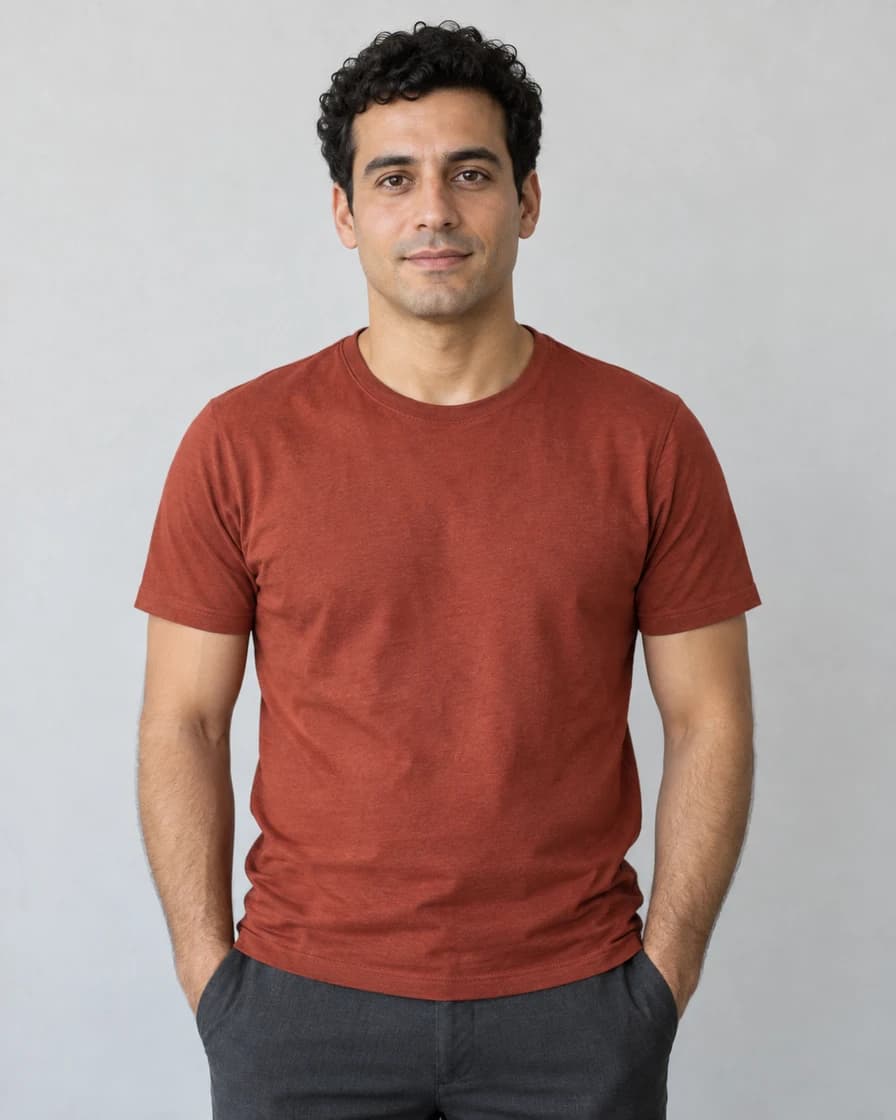
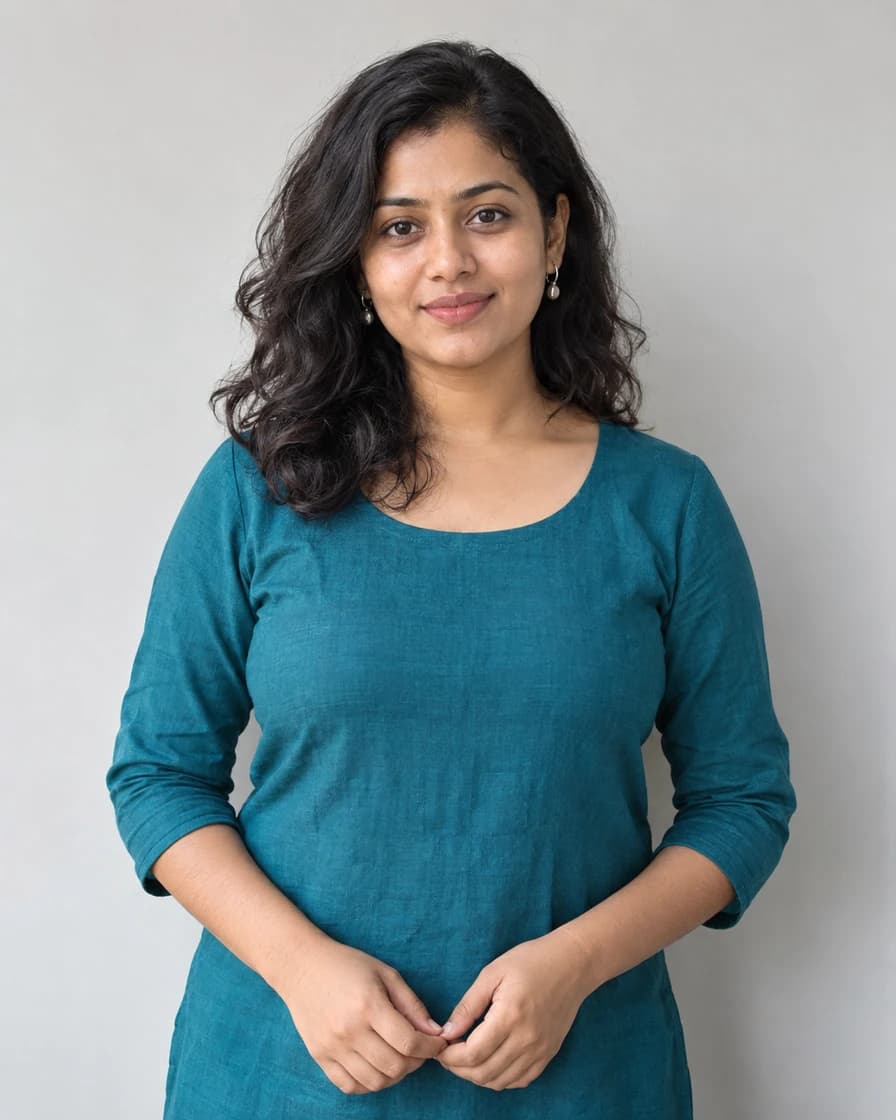
Real Seedance 2.0 example from the two fictional portraits shown below. Play with sound; not an original Hotel Lobby recording.
Original fictional adult man used as the sample's left performer

Example input · Left lead

Original fictional adult woman used as the sample's right performer

Example input · Right partner

Prompts to try

Friendly English rap duo

Friendly English rap duo

Original English vocals and beat; add your topic without replacing the stage direction.

Use image 1 only for the adult on the LEFT, the lead rapper. Use image 2 only for the adult on the RIGHT, the supporting performer. Preserve their distinct faces, skin tones, ages, hairstyles and visible clothing; never swap roles or merge bodies. Exactly two adults in a seamless warm orange recording booth, one silver microphone hanging centrally between them. A waist-up two-shot keeps both faces visible. Slow gentle camera push-in, no cuts, captions, logos or extra people. Natural separate hands and modest rhythmic gestures, not a dance routine. Generate a new original hip-hop beat and clearly audible ENGLISH rap vocals, not an existing song or a named artist's voice. Begin with a short beat pickup. The left performer delivers two short rhythmic lines about two friends celebrating a good day, with mouth motion following the words. The right performer nods to the beat and adds a brief call-and-response near the end; the lead remains clear. Finish with both facing the camera and a small shared gesture. Fit the complete short verse into the selected duration; do not produce only instrumental music, ordinary speech or silent lip movement. Any supplied topic replaces the default verse subject, not the roles or stage.
Mandarin birthday rap

Mandarin birthday rap

Original Mandarin birthday verse. Your topic can personalize the subject; exact words may vary.

Use image 1 only for the adult on the LEFT, the lead rapper. Use image 2 only for the adult on the RIGHT, the supporting performer. Preserve their distinct faces, skin tones, ages, hairstyles and visible clothing; never swap roles or merge bodies. Exactly two adults in a seamless warm orange recording booth, one silver microphone hanging centrally between them. A waist-up two-shot keeps both faces visible. Slow gentle camera push-in, no cuts, captions, logos or extra people. Natural separate hands and modest rhythmic gestures, not a dance routine. Generate a new original hip-hop beat and clearly audible MANDARIN CHINESE rap vocals for a friendly birthday celebration, not an existing song or a named artist's voice. Begin with a short beat pickup. The left performer delivers two short rhythmic birthday lines with mouth motion following the words. The right performer nods to the beat and adds a short birthday cheer near the end. Finish with a small shared gesture toward the camera. Fit the complete verse into the selected duration; no instrumental-only soundtrack, ordinary speech or silent lip movement. Any supplied topic replaces the birthday subject, not the language, roles or stage. The single microphone must hang from a visible cable descending from the ceiling, with no floor stand, desk stand or support rising from below.

  1. 01

    Assign your duo

    Add one clear adult portrait to each slot. Photo 1 is the left lead; Photo 2 is the right partner. Wait for both uploads.

  2. 02

    Choose a subject

    Add an optional topic or keep the friendly default. Advanced prompt controls the performance; the topic is added alongside it. Review the live quote.

  3. 03

    Listen, inspect and save

    Check both faces, roles, words, beat and mouth movement throughout the MP4. Download it or find the result and actual credit use in Library.

What does this AI rap video create?

Two photos guide two performers in a warm orange booth with one hanging microphone. The left person leads a short rap; the right person supports with rhythmic gestures and a brief response. This is a new generated performance with vocals and a beat, not a generic dance or a face swap into unchanged footage.

The orange-booth look is often associated with Hotel Lobby AI clips. This tool does not include that song, its original recording or a competitor's reference video. It uses your two photos and an editable original direction; CreateForge is independent of the musicians and performance platforms.

Prepare two distinct portraits

Use one consenting adult in each photo, with even light, an unobstructed face and visible shoulders. Keep the two subjects separate; this first version does not accept a group photo as both roles. Photos may be taken in different places. Visible clothing guides the output; unseen details may be invented.

Left and right follow the numbered slots, not upload completion order. A replacement clears the old quote. A missing, failed or unfinished upload blocks generation. Inspect both faces through the ending; likeness, hands and exact gestures can vary.

Topics, languages and original sound

The optional topic is limited to 240 characters. Blank uses a friendly English verse about celebrating a good day. The Chinese birthday prompt requests Mandarin. Applying a prompt keeps your topic, and editing Advanced prompt keeps the topic separate. Neither action starts a paid task.

The page language does not automatically select the vocal language. The prompt guides it. Generated words, pronunciation, timing and lip sync can vary, and a written lyric is not a promise of a word-for-word performance. With generated audio enabled, listen for real rap vocals and a beat rather than treating an audio stream as proof of a good result.

Fix confused roles or a weak performance

If faces switch or bodies merge, use clearer portraits and keep one lead, one partner and one microphone. Avoid adding fast cuts, elaborate dancing or costume changes. If the result only talks or plays music, shorten the verse direction and request a clearly rhythmic vocal delivery. Another attempt requires a new quote and is never started automatically.

Credits and saved results

Sign in to upload references and review the current credit quote. Editing a prompt or changing a photo or setting clears the old quote. Generation starts only when you submit; opening this page or choosing a prompt does not spend generation credits.

Review the finished media before sharing. Successful results appear in Library with actual credit use. Result file URLs are public; browsing Library and task history still requires an account. References use temporary uploads, so a page refresh requires selecting photos again.

Common questions

No. Add two photos. Seedance 2.0 generates a new performance and, with audio enabled, new rap vocals and a beat. No reference song or video is uploaded.

No. This tool requests original sound. It does not restore that recording, clone a singer or promise identical choreography.

Not in this version. Use two separate portraits so the left lead and right partner stay explicit.

No. Review the complete clip with sound. The model can change words, pronunciation, facial detail and mouth timing; a completed job is not a creative-quality guarantee.

Yes. The server quotes the selected model, settings and references before submission. This page does not promise a free generation or copy another website's credit prices.

References guide appearance, but likeness, hands and motion can vary. Use a clear photo and inspect the result. A completed task is not a guarantee that every creative detail is correct.