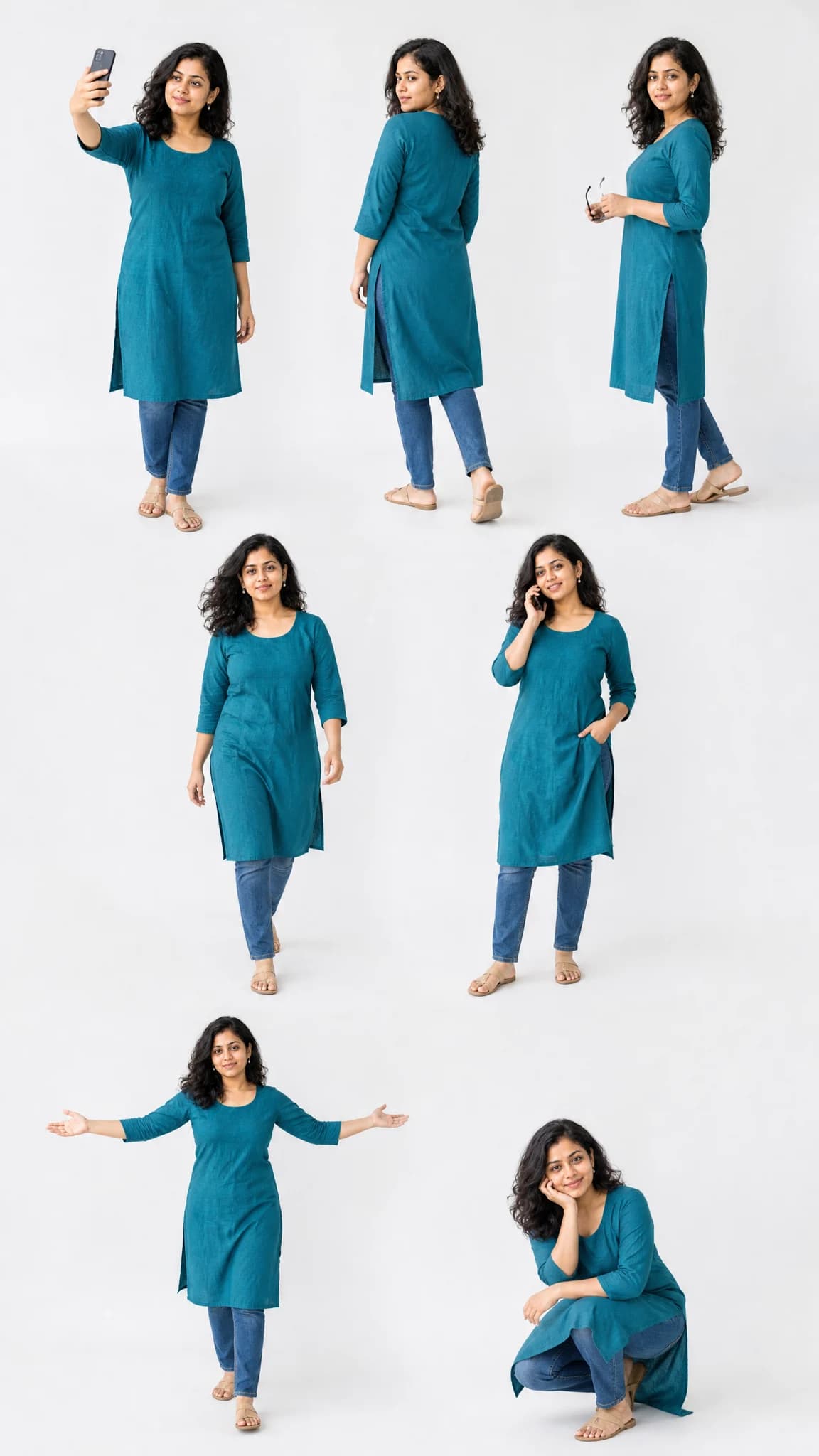
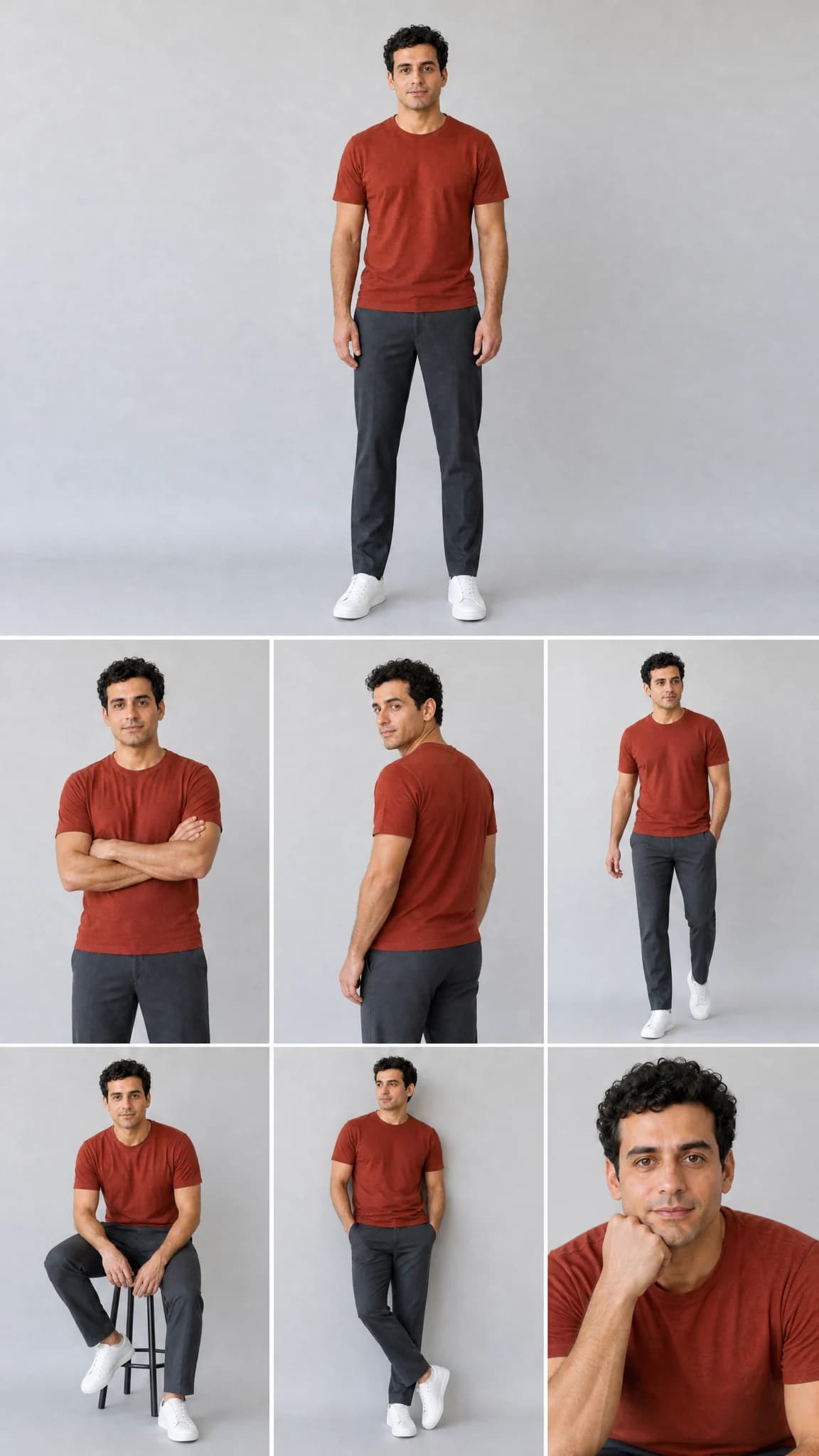
Turn one portrait into a 7 pose AI lookbook with GPT Image 2. Create one vertical collage with consistent appearance and clothing, choose a classic seven-figure layout or a studio photo collage, and review the live credit quote.
GPT Image 2 sample from an original fictional portrait. One collage, not seven separate image files; results vary.
Prompts to try
Classic seven-pose lookbook
One white-background image, seven complete figures in three rows. Keep the original visible outfit.
Use image 1 as the only identity and outfit reference for one adult. Create one finished vertical photographic lookbook, not separate output files. Show exactly 7 versions of the same person, preserving recognizable facial features, skin tone, age, hairstyle, build and visible clothing colors and details. Do not change gender or impose a new outfit. If the photo hides the legs or shoes, complete those unseen details simply and consistently; do not pretend they were visible. Arrange 7 complete full-body figures on one seamless white studio background in 3 rows: 3 at the top, 2 in the middle, 2 at the bottom. Use a slightly elevated camera angle, soft editorial light and clear spacing. The poses, in reading order, are taking a selfie, walking away while looking back, a side view holding sunglasses, walking naturally, talking on a phone, opening both arms and a relaxed crouch. Temporary phone and sunglasses props must not change the underlying outfit. Keep every head, hand and foot inside the canvas. No overlapping bodies, extra figures, duplicated poses, frames, captions or added watermarks. Natural anatomy and consistent scale; this is a fictional AI photoshoot, not seven different people.
Studio collage: one plus six
One large portrait and six smaller photographs. This still creates one image, not separate downloads.
Use image 1 as the only identity and outfit reference for one adult. Create one finished vertical photographic lookbook, not separate output files. Show exactly 7 versions of the same person, preserving recognizable facial features, skin tone, age, hairstyle, build and visible clothing colors and details. Do not change gender or impose a new outfit. If the photo hides the legs or shoes, complete those unseen details simply and consistently; do not pretend they were visible. Make an editorial collage with exactly 7 photographs: one large full-body standing portrait above a 3-column by 2-row arrangement of 6 smaller photographs. The smaller poses are arms crossed, looking over a shoulder, walking, sitting on a stool, leaning sideways and a close portrait with chin resting on one hand. Keep the same plain white studio, outfit and soft lighting throughout, with subtle clean gutters. Frame each photograph deliberately without cutting fingers or feet in full-body views. No extra person, text, numbering, decorative frames or added watermarks. Keep each pose distinct and every face recognizable; the result is one collage, not 7 downloadable images.
01
Choose one clear photo
Use yourself or a consenting adult, with one face visible. A full-body reference gives the model clothing and footwear information that a selfie cannot supply.
02
Review a layout and quote
The classic layout is ready to use. Apply the studio prompt for a different composition, or edit Advanced prompt. Wait for the photo upload and check the current quote before creating one image.
03
Count, inspect and save
Count all seven figures, then check faces, outfits, hands and feet at full size. Download the collage or find it with actual credit use in Library.
What does 7 pose AI make?
This photo trend turns one reference into a lookbook showing the same person in different poses. The primary deliverable here is one image containing seven figures or photographs, not seven separate generations and not a video. The pose instructions and layout are already written, so you can begin with a photo rather than an empty prompt.
The classic composition places three full-body figures at the top, two in the middle and two at the bottom. The alternative uses one large portrait above six smaller photographs. Both ask the model to keep appearance and visible clothing consistent. They are independent AI interpretations, not an official Instagram Lookbook filter or a guarantee of identical faces.
Prepare the face and outfit reference
Choose a sharp photo with even light, one adult and an unobstructed face. A full-body photo is best when trousers, shoes and overall proportions matter. Avoid group photos, strong beauty filters and objects hiding the outfit. You do not need to upload seven photographs.
A selfie is allowed, but unseen clothing and back-view details must be invented. The prompt asks for simple, consistent completion rather than claiming those details came from the reference. Intricate patterns, jewellery, glasses and small faces may drift across the collage; inspect them before posting.
Fix the count, pose variety or face drift
Count the figures before accepting the result. An image model can produce six or eight figures despite a seven-pose instruction. Try a clearer reference and simplify your edited prompt instead of adding extra people, scenery or outfit changes. This tool does not detect and repair the count automatically or silently start another paid task.
Look for distinct gestures and separate hands and feet. The classic prompt requests a selfie, back view, side view, walking, phone call, open arms and crouch. If likeness is more important than a complex pose, simplify that gesture while keeping the layout. Every new generation receives a fresh quote and may consume credits even when its creative details need improvement.
Credits and saved results
Sign in to upload references and review the current credit quote. Editing a prompt or changing a photo or setting clears the old quote. Generation starts only when you submit; opening this page or choosing a prompt does not spend generation credits.
Review the finished media before sharing. Successful results appear in Library with actual credit use. Result file URLs are public; browsing Library and task history still requires an account. References use temporary uploads, so a page refresh requires selecting photos again.
Common questions
No. One submission creates one collage containing seven poses. It is saved as one Library asset; automatic splitting and seven-file export are not included.
Yes. A clear selfie guides the face, but the model invents unseen trousers, shoes and back-view details. Use a full-body reference for a more faithful outfit.
No. Count the figures and inspect the result at full size. The tool does not automatically charge for a repair or retry when the creative count is wrong.
No. This page creates still images only. Choosing a prompt does not start a separate video task or a second paid generation.
Yes. The server quotes the selected model, settings and references before submission. This page does not promise a free generation or copy another website's credit prices.
References guide appearance, but likeness, hands and motion can vary. Use a clear photo and inspect the result. A completed task is not a guarantee that every creative detail is correct.