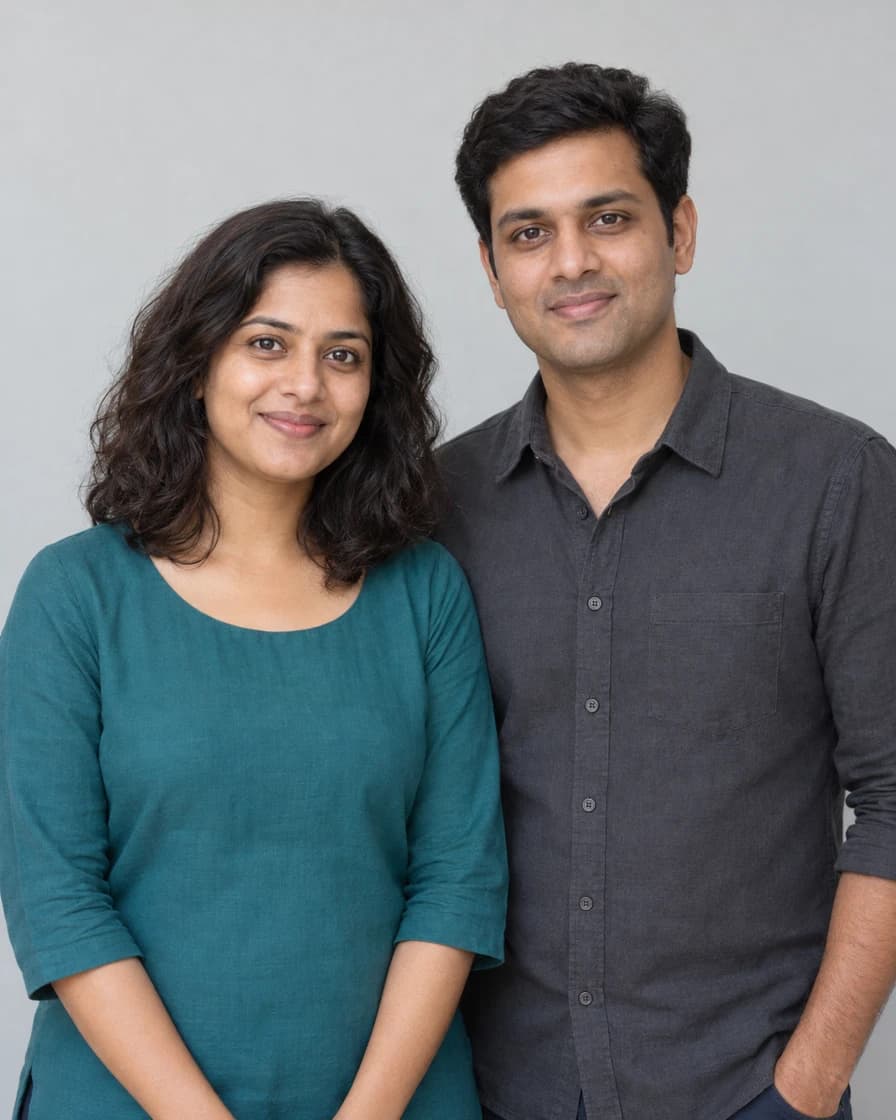
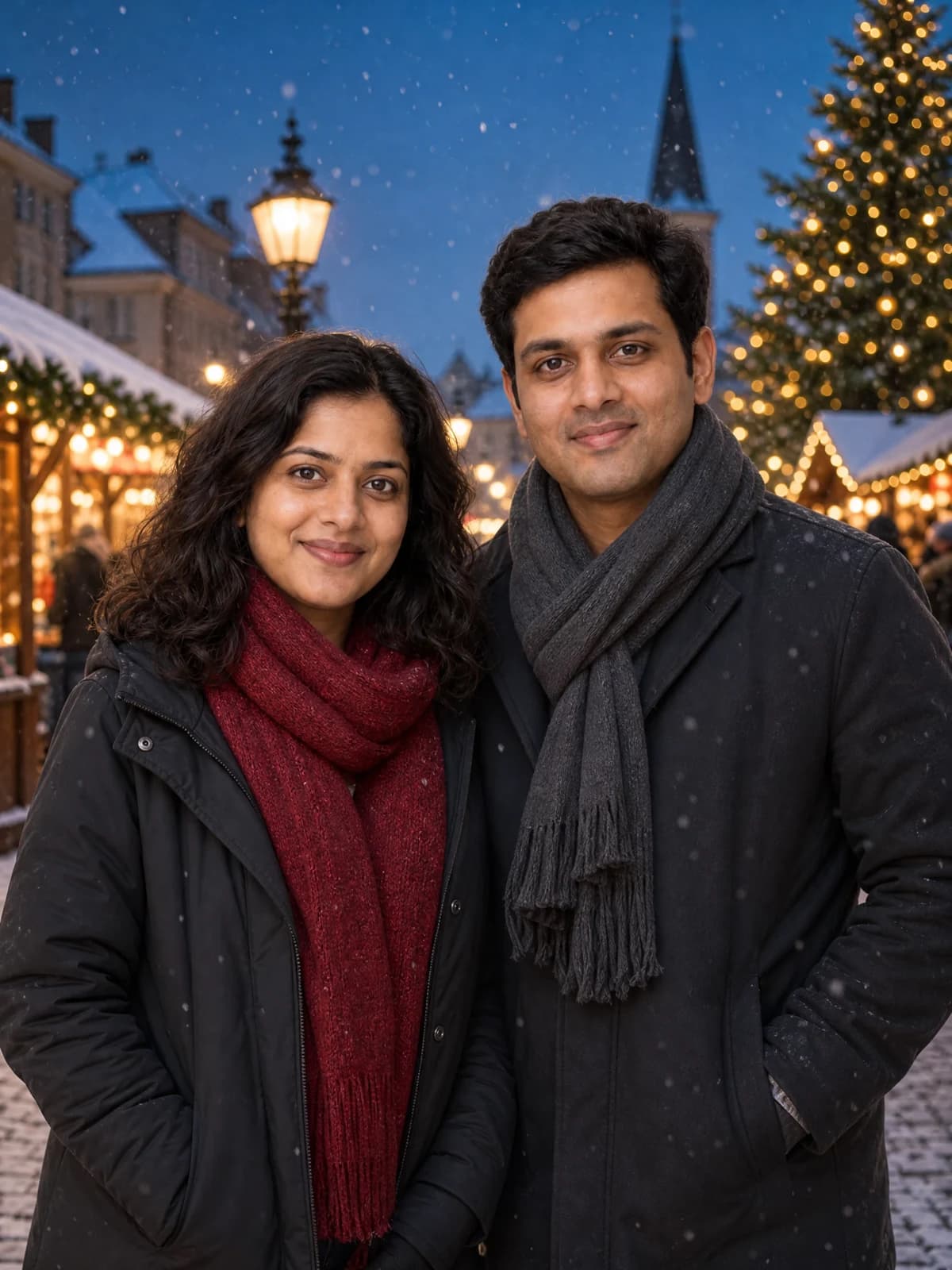
Create an AI Christmas photo from one selfie, couple or family picture, or pet photo. Choose a cozy room, snowy market, Santa-hat studio or vintage card with GPT Image 2 and a live credit quote.
Before · Original fictional couple
After · Snowy Christmas market
Illustrative GPT Image 2 edit from fictional subjects, 2K, 3:4, one image. Exact likeness is not promised; inspect faces and details.
Prompts to try
Cozy Christmas room
Warm tree, fireplace and knitwear. No greeting text.
Edit image 1 into one coherent Christmas picture. Retain every visible person's recognizable face, skin tone, age, hairstyle, glasses and build, and every pet's species, face, fur colors and markings. Preserve the exact number of people and pets; do not add family members, duplicate anyone or turn an animal into a person. If image 1 contains no pet, include no animals; a pet-only image must contain no people. Keep natural separate hands, paws and bodies and leave all faces unobstructed. Change only the requested clothing, setting, props and lighting. Preserve the subject's age and gender presentation. Make a realistic warm living-room portrait beside a decorated evergreen tree, a softly glowing fireplace, restrained gold fairy lights and wrapped gifts. Give the people comfortable red or cream festive knitwear; for pets use only a small comfortable scarf, with no human clothes or invented people. Keep realistic skin and fur texture, warm natural light and an uncluttered composition. No words, dates, logos or watermark.
Snowy Christmas market
Winter coats, gentle snow and warm market lights. No greeting text.
Edit image 1 into one coherent Christmas picture. Retain every visible person's recognizable face, skin tone, age, hairstyle, glasses and build, and every pet's species, face, fur colors and markings. Preserve the exact number of people and pets; do not add family members, duplicate anyone or turn an animal into a person. If image 1 contains no pet, include no animals; a pet-only image must contain no people. Keep natural separate hands, paws and bodies and leave all faces unobstructed. Change only the requested clothing, setting, props and lighting. Preserve the subject's age and gender presentation. Make a realistic portrait on a snowy old-town Christmas market street at blue hour, with warm stall lights and gentle distant snowfall. People wear practical winter coats and scarves; pets keep natural proportions and fur with a small festive scarf if appropriate. Keep faces clear of snow and breath. No words, dates, logos or watermark.
Santa-hat studio
Deep red backdrop and softly lit Santa hats for the subjects already in your photo.
Edit image 1 into one coherent Christmas picture. Retain every visible person's recognizable face, skin tone, age, hairstyle, glasses and build, and every pet's species, face, fur colors and markings. Preserve the exact number of people and pets; do not add family members, duplicate anyone or turn an animal into a person. If image 1 contains no pet, include no animals; a pet-only image must contain no people. Keep natural separate hands, paws and bodies and leave all faces unobstructed. Change only the requested clothing, setting, props and lighting. Preserve the subject's age and gender presentation. Make a realistic studio Christmas portrait against a deep red backdrop with subtle golden light bokeh. Add a soft red Santa hat proportioned to each person or pet, without covering eyes or ears unnaturally. Keep poses simple and lighting gentle, with photographic skin and fur rather than plastic smoothing. No words, dates, logos or watermark.
Vintage Christmas card
Illustrated greeting card. Edit Merry Christmas in the advanced prompt and check the spelling.
Edit image 1 into one coherent Christmas picture. Retain every visible person's recognizable face, skin tone, age, hairstyle, glasses and build, and every pet's species, face, fur colors and markings. Preserve the exact number of people and pets; do not add family members, duplicate anyone or turn an animal into a person. If image 1 contains no pet, include no animals; a pet-only image must contain no people. Keep natural separate hands, paws and bodies and leave all faces unobstructed. Change only the requested clothing, setting, props and lighting. Preserve the subject's age and gender presentation. Create a vintage Christmas greeting card in restrained gouache illustration, with recognizable portraits, an ivory border, small holly leaves and a snowy village behind the subjects. Keep their individual facial features, glasses and pet markings readable rather than replacing them with generic cartoon faces. Place exactly the greeting "Merry Christmas" in clear elegant lettering in empty space, away from faces. No additional words, dates, logos or watermark.
01
Choose one clear photo
Use a selfie, an existing couple or family picture, or a pet photo. Keep faces sharp and get permission from everyone pictured.
02
Apply a Christmas scene
Choose one of four presets, then edit its advanced prompt if needed. A new scene keeps your photo and settings but clears the old quote.
03
Inspect and save
Check everyone is present, faces and fur are recognizable, and any greeting is spelled correctly. Download one image or find it and actual credit use in Library.
What does an AI Christmas photo change?
This tool uses one existing photograph to guide a new Christmas picture: festive clothing, a tree and fireplace, a snowy market, a Santa-hat studio or a vintage greeting card. Faces, ages, skin tones, glasses and pet markings should remain recognizable, while the selected scene changes the surroundings.
One source photo can already contain a person, a couple, a family or a pet. This version does not combine separate portraits into a new group. A large group with tiny or hidden faces gives the model less information than a clear closer photograph.
Four Christmas photo prompts you can edit
Cozy Christmas room is the default, with warm light and knitwear. Snowy market adds coats, scarves and a winter street. Santa-hat studio uses a deep red backdrop. These three prompts request no writing. The vintage card uses illustrated portraits and the greeting Merry Christmas.
Apply or copy any complete prompt without starting generation. Advanced prompt lets you change clothes, colors or the card greeting. Keep the instruction to preserve every original person and pet; adding new subjects can conflict with that goal.
Prepare people, family and pet photos
Use clear faces, even light and visible eyes. Keep glasses, hair and distinctive pet markings visible, and avoid a wide group photograph where faces are only a few pixels tall. For pets, start with a sharp image showing the head and fur pattern. The prompts do not add people to a pet-only photograph.
The default is one 2K portrait image in 3:4. For a wider existing family photo, choose a supported landscape ratio in Settings before quoting. The controls exclude unsupported resolution and ratio combinations. Missing clothing or body detail may be invented, so inspect the complete result rather than assuming exact preservation.
Faces, subject count and greeting text
Check the exact number of people and animals, recognizable faces, glasses, hands, paws and fur markings. A successful task does not guarantee that every identity or small detail is right. Use a simpler scene or clearer input before a new paid attempt; the tool never repairs or regenerates automatically.
The vintage card asks for Merry Christmas once, away from faces. You can replace those words in Advanced prompt. Lettering may contain errors, so proofread it before sharing or printing. The other three presets request no text; this tool does not automatically animate, split or lay out a print-ready card file.
Credits and saved results
Sign in to upload references and review the current credit quote. Editing a prompt or changing a photo or setting clears the old quote. Generation starts only when you submit; opening this page or choosing a prompt does not spend generation credits.
Review the finished media before sharing. Successful results appear in Library with actual credit use. Result file URLs are public; browsing Library and task history still requires an account. References use temporary uploads, so a page refresh requires selecting photos again.
Common questions
Yes. Upload one existing photo. The prompt asks to keep every original person and pet, with their distinct appearance and the same subject count.
Not in this version. Use a photograph that already contains everyone you want in the result.
Only the vintage card preset requests Merry Christmas. Edit those words in Advanced prompt and proofread the generated lettering. The other three presets request no text.
Yes. Edit the clothing direction in the prompt and choose a supported ratio in Settings. The default is one 2K image in 3:4; the tool does not silently change to an unsupported 2K and 4:5 combination.
Yes. The server quotes the selected model, settings and references before submission. This page does not promise a free generation or copy another website's credit prices.
References guide appearance, but likeness, hands and motion can vary. Use a clear photo and inspect the result. A completed task is not a guarantee that every creative detail is correct.