Nano Banana prompts for generation and image editing
Twelve Nano Banana prompts for products, portraits, social visuals, restyling, background replacement, material edits, and reference-guided image work.
By CreateForge Editorial · Reviewed 2026-08-18
Independent editorial cover. The uncropped provider-verified output and its production context appear below.
Nano Banana prompts are most useful when each example is adapted to a real subject, source image, frame, and acceptance checklist instead of copied as a style formula. Nano Banana prompts can direct a new composition or describe a bounded edit to one or more references. Those tasks need different language. A generation prompt defines the image from the deliverable outward; an edit prompt first protects identity, layout, or geometry and then explains the permitted transformation.
Use these examples as modular briefs. Keep the sections that control a successful composition and replace only project-specific facts. Select the corresponding aspect ratio and file format in CreateForge, review the protected quote, and compare the saved result against the stated constraints rather than asking whether it simply looks good.
Production evidence
Provider-verified output behind this guide
The displayed output comes from the documented production acceptance. Prompt pages provide reusable templates below; they do not claim that every template produced this one evidence image.
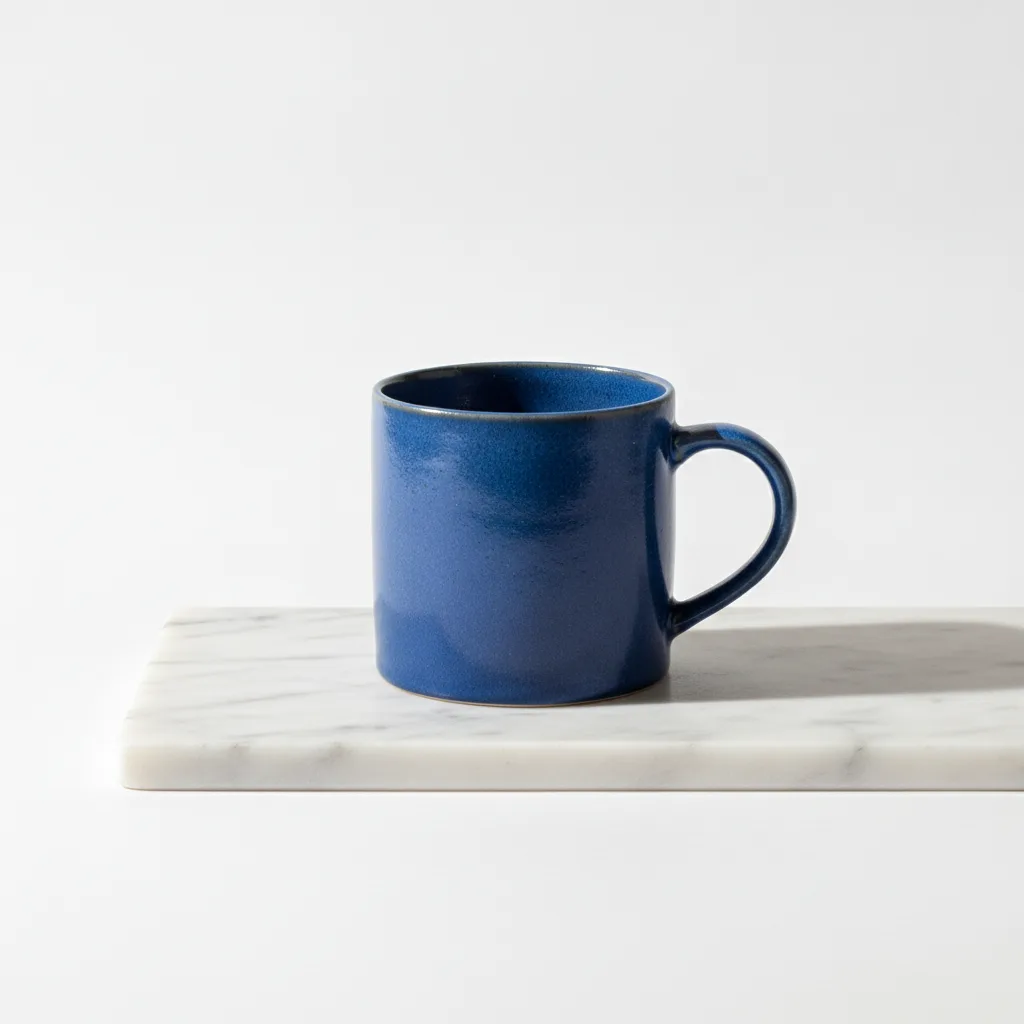
Provider-verified production output
Public brief summary: a controlled studio composition used to verify provider submission and image output handling; the complete acceptance prompt remains private.
- Verified
- 2026-08-17T07:16:16.280Z
- Settings
- text-to-image workflow · 1:1 · PNG
- Result
- Provider task succeeded with one image output during the documented production acceptance.
01
Nano Banana prompts: define the brief before the style
For text-to-image, begin with the asset and subject, then add composition, light, palette, surfaces, and exclusions. For image-to-image, begin with the reference role and protected features. Follow with a limited change, then describe how new elements should interact with the preserved source.
Do not assume that the model knows why a file was uploaded. A product reference may control geometry, a portrait may control identity, and a mood image may control palette. State those roles in plain language and remove references that do not contribute a unique constraint.
02
Write constraints a reviewer can verify
Replace vague requests such as make it professional with observable direction: three-quarter camera, neutral studio sweep, one soft shadow, exact object count, or clean title space in the upper third. Reviewable language makes failed outputs easier to diagnose and successful outputs easier to approve.
When preserving a source, name the exact features: silhouette, face, pose, camera, label position, color, or layout. Separate them from the allowed changes. This reduces the chance that a style request unintentionally replaces the part of the source that mattered most.
03
Change one prompt layer per iteration
Keep the selected model, frame, and references stable while testing composition language. Once composition works, adjust light or material. If the result drifts from the reference, strengthen preservation rules or simplify the reference set before adding more adjectives.
Review the Library asset at full size. Check source fidelity first, then the requested change, then polish. If exact copy, regulated details, or a public claim appears in the image, verify it manually or replace it in a design tool before publication.
04
Keep references and outputs lawful
Only upload images you have the right to process. Do not use prompts to create deceptive impersonation, non-consensual intimate material, infringement, fraud, harassment, or another prohibited use. Provider safety systems can block a request and may occasionally produce false positives that need a revised lawful description.
Treat a generated image as material requiring editorial review, not as a factual source. Confirm people, places, products, logos, claims, and sensitive context before distribution. The model can support creative production, but responsibility for the final use remains with the person publishing it.
Prompt library
Adapt these examples to a real brief
Clean product launch
01Create a launch image for [product], centered three-quarter view on a matte ivory sweep, soft key light from the left and a narrow warm rim light, realistic material and label placement, generous clean space on the right for copy, landscape frame, no added props or text.
Use the copy-side direction to align composition with the final campaign layout.
Bold social still life
02Create a 4:5 social image of [object] balanced on [support], saturated cobalt and coral set, hard direct flash, crisp shadow, playful but physically believable composition, one main object and two small supporting shapes, no typography.
Fixed object count and palette prevent the prompt from becoming an uncontrolled mood request.
Editorial portrait
03Create an editorial portrait of [person description] seated near a large window, waist-up framing, quiet direct gaze, textured charcoal clothing, cool daylight with warm reflected fill, subtle grain, natural skin detail, uncluttered background, no text.
If identity is required, add a lawful source and state which facial attributes must remain.
Room restyle
04Use the supplied room image as the layout reference. Preserve walls, windows, floor plan, camera position, and major furniture dimensions. Restyle finishes in light oak, brushed steel, and deep green wool, add soft late-afternoon light, remove only the loose clutter, keep realistic scale.
The first sentence protects architecture before the material and styling change.
Background replacement
05Use the supplied product as the identity reference. Keep its silhouette, proportions, visible logo placement, and camera angle unchanged. Replace the background with a misty dark-blue stage, add a grounded soft shadow and subtle condensation, no new labels or accessories.
Review small logo and label details even when preservation is explicitly requested.
Seasonal adaptation
06Use the supplied campaign image as the composition reference. Preserve the subject, pose, crop, and headline-safe area. Change only the environment from summer to a quiet snowy evening, with cool ambient light and warm window reflections, realistic winter wardrobe, no holiday symbols.
A bounded seasonal change retains layout while avoiding generic festive additions.
Material swap
07Use the supplied chair as the exact geometry reference. Preserve frame shape, joinery, proportions, viewpoint, and shadow direction. Change only the seat and back material to woven recycled red textile with visible fiber detail, neutral gallery background, no design modifications.
Use material-only language so the product design remains the evaluation anchor.
Packaging colorway
08Use the supplied package as the structure reference. Preserve dimensions, folds, front hierarchy, and camera. Create a new colorway using [palette], replace decorative pattern with a restrained geometric system, leave all readable text areas blank for later design, soft studio lighting.
Leaving copy areas blank can be safer when exact packaging text will be added downstream.
Food campaign
09Create a close editorial food image of [dish], three-quarter overhead camera, warm side light, realistic steam and texture, one handmade ceramic plate, dark wood surface, minimal crumbs and one ingredient cue, shallow depth without hiding the food, no text.
Keep props limited so the dish remains the uncontested subject.
Illustration style transfer
10Use the first reference for character identity and the second reference only for color and brush texture. Preserve the character’s face, silhouette, clothing shapes, and pose. Repaint the scene as a layered gouache editorial illustration with muted mineral colors and visible paper grain.
Explicit reference roles reduce the risk that the style image replaces character identity.
Poster concept
11Create a vertical poster image for [theme], one oversized [symbol] emerging from a field of small [secondary element], centered but asymmetric energy, black, cream, and signal-orange palette, screen-print texture, leave the lower quarter empty for typography, no generated words.
Reserve a real typography area instead of relying on generated text for the final poster.
Marketplace thumbnail
12Create a square marketplace thumbnail showing [product] clearly at center, neutral light-gray background, soft natural shadow, accurate color and proportions, slightly elevated camera, no hands, props, text, badges, borders, or duplicate objects, clean commercial finish.
Excluding common marketplace clutter keeps the product easy to inspect at small size.
Live catalog data
Current CreateForge model facts
These values are rendered from the production Catalog and generator Blueprint. The protected quote shown in the model workspace remains authoritative for a specific request.
Nano Banana
- Modes
- Text to Image, Image to Image
- Resolution
- Fixed
- Aspect ratios
- Auto, 1:1, 16:9, 9:16, 3:2, 2:3, 4:5, 5:4, 3:4, 4:3, 21:9
- Duration
- Still image
- Input roles
- Reference images: up to 10
- Native audio
- No generated audio control
- Output formats
- png, jpeg
- Current minimum
- 3 CreateForge credits
- Pricing verified
- 2026-08-28
FAQ
Common questions
What makes a good Nano Banana prompt?
A good prompt states the deliverable, subject, composition, light, materials, and constraints in priority order. Edit prompts also separate protected source features from allowed changes.
How do I tell Nano Banana to preserve a reference?
Name the reference role and list the exact properties to preserve, such as identity, geometry, camera, layout, or color, before describing the requested transformation.
Can I copy these Nano Banana prompts?
Yes, as starting structures. Replace placeholders with project facts, use lawful references, and review the resulting asset for accuracy, rights, and suitability.
Do I need a long negative prompt?
Usually not. Prefer a clear positive brief and a short exclusion for recurring unwanted elements. Large generic negative lists can make the real priority harder to understand.
Continue in CreateForge
Move from research to the connected workflow.
Open the exact production model, review the current controls and quote, or compare the wider tool catalog before submitting a task.
Related guides
Model guide
How to use Nano Banana for image generation and editing
Learn a repeatable Nano Banana workflow for creating new images, editing references, choosing aspect ratios, reviewing outputs, and saving successful work.
Workflow
Nano Banana image editing with private references
Use Nano Banana image editing with private references, explicit preservation rules, supported output controls, protected quotes, and a saved-result review workflow.
Pricing guide
Nano Banana Cost: pricing, free limits, and alternatives
Learn Nano Banana cost, pricing, free limits, expected credits, and how to compare alternatives before creating images on CreateForge AI.