Veo 3 Fast vs Quality: compare Veo 3.1 models
Compare Veo 3.1 Fast and Quality by live modes, inputs, resolution, duration, audio, protected credit quotes, fair testing, retries, and accepted-result cost.
By CreateForge Editorial · Reviewed 2026-08-28
Independent editorial cover. The uncropped provider-verified output and its production context appear below.
Veo 3 Fast vs Quality is a practical comparison between the connected Veo 3.1 Fast and Veo 3.1 Quality production models, using live controls and accepted-result cost instead of names alone. The labels Fast and Quality describe two separate connected model entries, not a promise that one is always cheaper or the other is always better. Their current modes, source requirements, frame choices, resolution, duration, audio behavior, and minimum credits come from the CreateForge Catalog and generator Blueprints shown on this page. Those live facts define what can be quoted and submitted now.
A useful decision therefore starts with one deliverable and ends with an accepted clip, rather than stopping at the first successful provider response. This guide explains where each Veo 3.1 path can fit, how to run a controlled comparison, and how to count retries and repair so the selected model reflects the actual project rather than an isolated demo.
Production evidence
Provider-verified output behind this guide
The displayed output comes from the documented production acceptance. Prompt pages provide reusable templates below; they do not claim that every template produced this one evidence image.
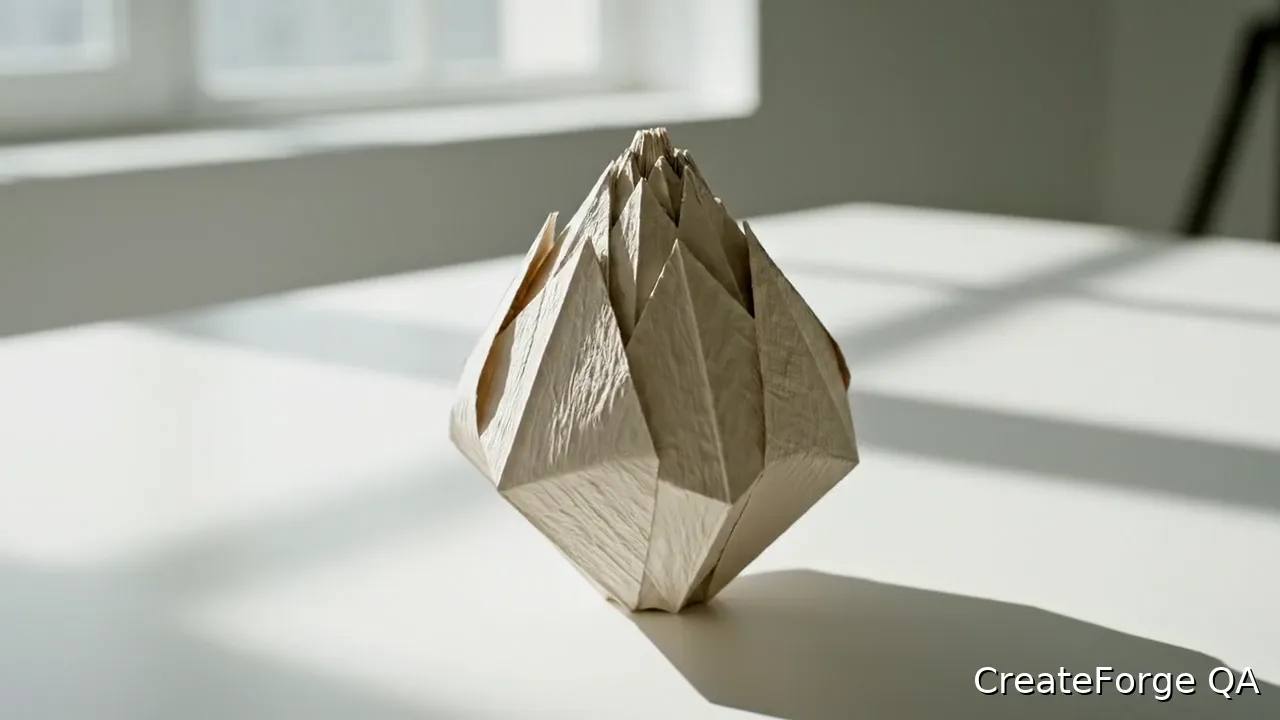
Provider-verified production output
Public brief summary: one controlled continuous shot used to verify provider submission and video output handling; the complete acceptance prompt remains private.
- Verified
- 2026-08-17T07:17:24.420Z
- Settings
- text-to-video workflow · 16:9 · 720P · 8 seconds
- Result
- Provider task succeeded with one video output during the documented production acceptance.
01
Veo 3 Fast vs Quality: compare the live model facts
Start with the side-by-side facts table below. It reads supported modes, resolution, aspect ratios, duration, input roles, native-audio control, output format, current minimum credits, and the pricing verification date directly from the Catalog and Blueprint for each model. If a field changes when a model definition is updated, the table changes with it; this article does not preserve a second handwritten capability matrix.
Read every value as a boundary of the connected CreateForge workflow. A provider announcement may describe another interface, preview, region, or model family without matching the adapter used here. Open each canonical model page before the test, select the intended mode, attach only supported source files, and request a protected quote after all delivery controls are final. That quote is authoritative for the specific request.
02
When Veo 3.1 Fast fits the work
Fast is a sensible candidate when the production brief needs the reference-capable modes exposed by its current Blueprint or when the team expects to explore several bounded motion directions before choosing one. Suitable tests include a product light sweep, a portrait action, an environmental loop, or a social clip where one clear action and endpoint can be judged quickly. The name alone does not establish latency or quality for a particular request, so record both during the test.
Use Fast with an explicit acceptance checklist. Protect subject identity, product geometry, label placement, wardrobe, opening composition, or another required property in the prompt, then review those details after movement and occlusion. A fast iteration that repeatedly loses the critical feature can cost more than a higher quote that reaches approval sooner. The decision is the accepted clip, not the number of provider successes.
03
When Veo 3.1 Quality fits the work
Quality is the comparison path for shots where motion continuity, camera behavior, subject stability, atmosphere, or final-delivery review carries more weight than broad exploration. It is useful for a controlled cinematic product move, a deliberate portrait beat, or another shot where the team can define a visible start state, one action, and an end state. Do not infer unsupported inputs from the family name; the live Quality facts remain the operational boundary.
A Quality test should still be economical and focused. More descriptive text does not repair a contradictory source frame, an impossible camera path, or several edits compressed into one clip. Prepare the source at the intended orientation, remove unnecessary scene changes, and state camera and subject motion separately. This makes the result easier to score and makes any retry a targeted change rather than a complete rewrite.
04
Run the same prompt, material, and parameters
Create one benchmark brief before opening either generator. Use the same deliverable, prompt intent, source image or frames where both modes allow them, aspect ratio, duration, resolution, audio direction, and output count. Copy the acceptance checklist into the project notes. If a control exists for only one model, document the difference and decide whether the test remains equivalent instead of silently changing the creative objective.
Submit each model from a clean configuration and save every completed result. Score identity, geometry, source adherence, motion continuity, camera smoothness, background stability, edge behavior, audio timing, and the clarity of the final state. Review at the intended delivery size and with sound enabled where relevant. Avoid comparing a polished showcase from one prompt with a fresh test from another, because that measures the briefs as much as the models.
- Lock the prompt goal, source assets, aspect ratio, duration, resolution, audio direction, and acceptance checklist before requesting either quote.
- Record model slug, exact controls, quote, elapsed time, visible defects, retry reason, repair work, and whether the final clip passed the same delivery standard.
05
Compare retries and the cost of a usable result
The displayed minimum is only the starting point. For each model, add the protected credits consumed by every attempt needed to reach one accepted result. Then record review time and any editing, masking, retiming, audio replacement, or compositing required after generation. A lower per-request quote can lose its advantage when identity drift or motion defects trigger additional runs, while a higher quote can be efficient if the first or second clip is usable.
Use a simple accepted-result calculation: total generation credits divided by the number of approved clips, with repair time shown alongside rather than hidden. Keep clear failures and rejected successes in the record. CreateForge releases credits after a confirmed failed task, but a technically successful clip that misses the creative standard is still part of the project cost. Compare the same review window for both models so late discoveries do not distort the result.
06
Choose by workload, then preserve the evidence
Select the model that best fits the repeated workload, not only the winner of one attractive frame. A concept phase may value a lower accepted-idea cost across varied directions. A campaign shot may value predictable identity, continuity, and lower repair. If the result is close, repeat the benchmark with a second representative shot rather than expanding the first prompt until it no longer resembles normal production work.
Keep approved Library files associated with the exact model slug, prompt, source material, controls, and acceptance notes. Link the comparison record to both canonical model pages so future work can confirm current capabilities and quotes. Veo 3.1 Quality and Veo 3.1 Fast remain separate production choices; this guide connects them for evaluation without replacing either model page or creating a generic Veo configuration.
Prompt library
Adapt these examples to a real brief
Controlled product benchmark
01Use the supplied product frame as the opening composition. Preserve silhouette, material, color, label position, and camera height. The camera makes one slow forward move while a narrow light travels left to right, the product remains still, soft studio ambience, no cut, text, or background change.
Use the same lawful source, delivery controls, and acceptance checklist in both supported workflows; document any control that cannot be matched.
Controlled portrait benchmark
02A waist-up portrait turns calmly toward a large window and pauses at the end, camera locked, identity, hairstyle, clothing, and room geometry remain stable, soft overcast light, quiet room tone, no dialogue, zoom, cut, or scene change.
The locked camera isolates subject motion and makes identity, edge behavior, background stability, and endpoint completion easier to compare.
Live catalog data
Current CreateForge model facts
These values are rendered from the production Catalog and generator Blueprint. The protected quote shown in the model workspace remains authoritative for a specific request.
| Production fact | Veo 3.1 Quality Google | Veo 3.1 Fast Google |
|---|---|---|
| Modes | Text to Video, Frames to Video | Text to Video, Frames to Video, Reference to Video |
| Resolution | 720P | 720P |
| Aspect ratios | Auto, 16:9, 9:16 | Auto, 16:9, 9:16 |
| Duration | 8 seconds | 8 seconds |
| Input roles | First frame: up to 1; Last frame: up to 1 | First frame: up to 1; Last frame: up to 1; Reference images: up to 3 |
| Native audio | No generated audio control | No generated audio control |
| Output formats | Provider default | Provider default |
| Current minimum | 225 CreateForge credits | 30 CreateForge credits |
| Pricing verified | 2026-08-28 | 2026-08-28 |
FAQ
Common questions
What is the difference in Veo 3 Fast vs Quality?
Use the live comparison table for the connected modes, inputs, resolution, duration, audio control, and minimum credits. Then run the same representative shot, because names alone do not predict which model will produce an accepted result for a specific brief.
How should I test Veo 3.1 Fast vs Quality?
Lock one prompt goal, lawful source material, delivery parameters, audio direction, and acceptance checklist. Run both supported workflows, save every result, and score identity, motion, camera, background, sound, defects, retries, and repair against the same standard.
Is Veo 3 Fast cheaper than Veo 3 Quality?
Compare the protected quotes shown for equivalent supported controls, then include every attempt required for an approved clip. The lower initial quote is not necessarily the lower effective cost when retries or repair differ.
Is Veo 3 Fast better than Veo 3?
There is no universal winner. Fast can suit reference-led iteration, while Quality can suit demanding delivery review, but the correct choice depends on the connected controls and the acceptance rate for your actual workload.
Do both Veo 3.1 models support the same inputs?
Do not assume so. The table and canonical model pages read current input roles from each production Blueprint. If a mode or source type is not shown for one model, do not force it into the request or treat the test as identical without documenting the difference.
Continue in CreateForge
Move from research to the connected workflow.
Open the exact production model, review the current controls and quote, or compare the wider tool catalog before submitting a task.
Related guides
Video guide
How to use Veo 3.1 for a controlled AI video shot
Plan and generate a Veo 3.1 shot in CreateForge with text or frame guidance, camera direction, sound intent, protected quotes, and saved video results.
Pricing guide
Veo 3.1 pricing and AI video credit planning
Learn Veo 3.1 pricing, cost, free limits, model options, and Fast versus Quality tradeoffs before creating AI videos on CreateForge AI.
Model limits
How long are Veo 3.1 videos in CreateForge?
Learn how long Veo 3.1 videos are in the connected CreateForge workflow, how the fixed duration affects shot planning, credits, motion, audio, and review.