Short product motion
Create a controlled turn, reveal, light event, or camera move for a focused product clip.
xAI short-form video workflow
Generate short Grok Imagine Video 1.5 clips from text or private images with flexible framing, duration, resolution, and protected quotes.
Choose the source
01 / 03Text-to-video allows the model to invent subject and scene. Image-to-video anchors the opening appearance and is useful when a product, character, or composition must begin from an approved still.
Explain what the image protects and what should move. A source with a tight crop or no room in the movement direction may force the model to invent more content than the brief expects.
Length and quality
02 / 03Use the current Blueprint facts for supported length and resolution. Choose enough time for one action to complete and settle rather than filling a longer setting with several unrelated events.
Configure the final mode, frame, duration, and resolution before quoting. The protected amount for that exact request remains authoritative.
Clip review
03 / 03Watch for subject drift, changing geometry, unstable outlines, camera jumps, new edge objects, and action that fails to reach its endpoint. Scrub around the first failure to identify a useful revision.
Use the Library copy after successful reconciliation. Preserve the source and working controls while changing one motion or camera instruction at a time.
Production-verified output
Public brief summary: one controlled continuous shot used to verify provider submission and video output handling; the complete acceptance prompt remains private.
Provider task succeeded with one video output during the documented production acceptance. This single production acceptance proves the connected task path, not universal motion quality, continuity, audio quality, or repeatability for every shot.
Grok Imagine Video 1.5 is connected for text-led and image-led short video generation. The versioned canonical page also covers the broader Grok Imagine Video alias without duplicating controls or pricing.
Use one observable motion and one camera behavior for the first attempt. Choose duration and resolution according to the test or delivery requirement, then review the protected quote.
CreateForge tracks provider state and saves eligible successful output in the private Library. Review identity, motion, edge behavior, and continuity throughout the clip.
Grok Imagine Video 1.5 use cases
Create a controlled turn, reveal, light event, or camera move for a focused product clip.
Animate an approved still while preserving core subject identity, composition, and color.
Test vertical, square, or landscape movement designed for a specific short-form channel.
Generation controls
Describe the video to create with Grok Imagine Video 1.5.
Choose the input workflow before adding reference media.
Text to Video · Reference to Video
Accepts up to 7 image files.
Choose a supported output frame with visual ratio cards.
Auto · 1:1 · 16:9 · 9:16 · 3:2 · 2:3
Your selected resolution is included in the credit price.
480P · 720P
Choose 1–15 seconds in Video Settings.
Prompt blueprint
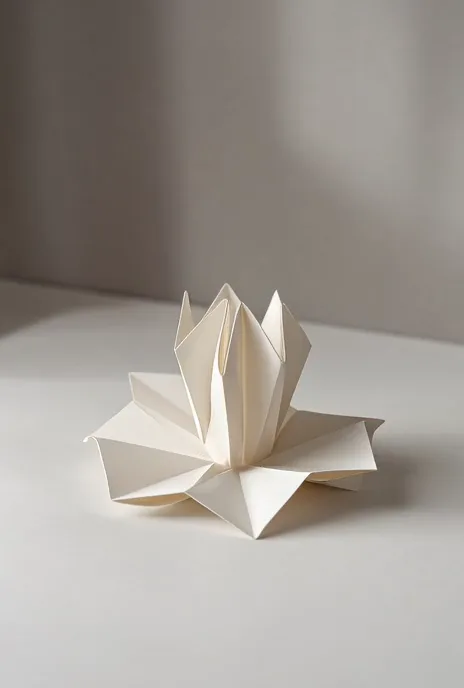
A folded paper sculpture rests on a white studio table and slowly unfolds from the center into a geometric flower, camera makes a gentle overhead orbit, paper color and texture remain stable, soft daylight and precise shadows, no cut or text.
A single transformation with an endpoint provides a clean duration test.
Use the supplied product image as the opening frame. Preserve silhouette, color, and visible mark. The camera slides slowly left while a soft reflection travels across the surface, product remains fixed, dark studio ambience, one continuous shot.
Separates camera and light movement while protecting the product.
Related guides
Video guide
Use Grok Imagine Video 1.5 for text-to-video or image-to-video work with focused motion prompts, current duration controls, protected quotes, and saved output.
Read guideModel limits
Learn the Grok Imagine Video limit, video length, duration controls, free limit context, and how to plan short AI videos on CreateForge AI.
Read guideGrok Imagine Video 1.5 FAQ